
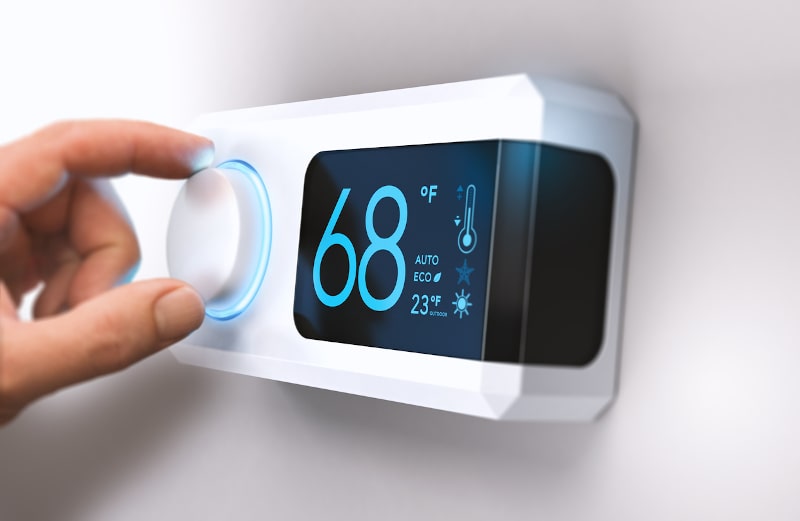
You walk over to adjust the temperature, only to find that your smart thermostat screen has gone completely blank. Now what? A blank display can be frustrating, especially when your AC is not responding and you are unsure whether the thermostat or the HVAC system is causing the problem.
If your thermostat screen went blank, the cause could be as simple as dead batteries or a tripped circuit breaker. However, a smart thermostat can also lose power because of a clogged condensate drain, activated float switch, wiring issue, blown fuse, or another HVAC problem. Before assuming you need a new thermostat, learn the most common reasons smart thermostats go blank, what you can safely check yourself, and when it is time to call an HVAC professional.
7 Common Reasons Your Smart Thermostat Screen Went Blank
1. Dead or Weak Thermostat Batteries
Some thermostats rely entirely on batteries, while others use batteries as backup power. If those batteries are weak or dead, the display may dim, become unresponsive, or shut off completely.
If your smart thermostat is blank, check whether your model uses replaceable batteries. Installing fresh batteries may restore the display. If the screen remains blank afterward, the problem may be somewhere else in the thermostat or HVAC system.
2. Tripped HVAC Circuit Breaker
Many thermostats receive low-voltage power from the HVAC system. If the circuit breaker supplying your air handler, furnace, or other HVAC equipment trips, the thermostat may lose power along with the equipment.
Check your electrical panel for a tripped HVAC breaker. If you reset it and it trips again, do not continue resetting it. Repeated tripping may indicate an electrical or equipment problem that should be diagnosed by a professional.
3. Clogged Condensate Drain or Tripped Float Switch
Your air conditioner removes moisture from indoor air and sends the resulting condensation through a drain line. If that line becomes clogged, water can back up in the drain pan.
Many HVAC systems have a float switch designed to respond to rising water levels. Depending on how the switch is wired, it may interrupt HVAC operation or thermostat power to help prevent an overflow. This means a clogged condensate drain could be the unexpected reason your smart thermostat suddenly has a blank screen.
If you notice standing water, a full drain pan, or moisture around the air handler, have the drainage problem addressed rather than bypassing the safety switch.
4. Blown Low-Voltage HVAC Fuse
Your HVAC system typically contains low-voltage control circuitry that supplies power to the thermostat and other controls. A fuse in this circuit can blow because of an electrical short, wiring problem, or another control-system issue.
When that happens, your thermostat may lose power and the screen can go blank. Simply replacing a blown fuse without identifying why it failed may not solve the underlying problem. If the fuse blows again, professional diagnosis is needed.
5. Loose or Damaged Thermostat Wiring
Loose, disconnected, or damaged low-voltage wiring can interrupt power to smart thermostats. Problems may occur at the thermostat wall plate, along the wiring path, or where the thermostat wires connect to the HVAC equipment.
Because incorrect wiring can damage controls or blow a fuse, avoid guessing which wires should be moved or connected. An HVAC technician can test the wiring and determine whether a loose connection, damaged wire, or electrical short is responsible.
6. HVAC Transformer or Power Supply Problem
Hardwired thermostats commonly receive low-voltage power through a transformer in the HVAC system. If the transformer fails or another problem interrupts the system’s power supply, the thermostat may shut down even though nothing appears physically wrong with the display.
A transformer problem requires electrical testing and should generally be handled by an HVAC professional. The technician can determine whether the thermostat is receiving the correct power before recommending thermostat replacement.
7. Old or Failed Smart Thermostat
Sometimes, the problem really is the thermostat. Like other electronic devices, smart home thermostats can eventually develop failed displays, internal electronics problems, or intermittent power issues.
If the thermostat has reliable power but remains blank or repeatedly becomes unresponsive, replacement may be appropriate. When choosing new smart thermostats for homes, make sure the model is compatible with your HVAC equipment and its wiring and power requirements. Professional installation can help ensure the new thermostat is connected and configured correctly.
How Wiring Problems Can Cause a Blank Smart Thermostat
A smart thermostat needs a reliable power connection to operate its display and communicate with your HVAC system. If low-voltage wiring becomes loose, damaged, or shorted, the thermostat may lose power completely. If your thermostat screen went blank and fresh batteries or a breaker check did not solve the problem, the thermostat wiring may need professional attention.
Loose Thermostat Connections
Thermostat wires connect the device to your HVAC system and allow the components to communicate. If one of these connections becomes loose or disconnected, the thermostat may lose power or stop controlling the heating and cooling equipment properly.
A loose connection can occur behind the thermostat or at the HVAC equipment. The screen may remain completely blank or lose power intermittently depending on which connection is affected.
Damaged Low-Voltage Wiring
Thermostat wiring can become damaged from age, renovations, pests, accidental contact, or improper installation. A pinched, cut, or deteriorated wire may interrupt the low-voltage power needed by a hardwired smart thermostat.
Because much of this wiring may run behind walls or through other difficult-to-access areas, the source of the problem is not always visible. Electrical testing may be necessary to locate the damaged section.
Blown Fuses and Electrical Shorts
An electrical short in thermostat wiring can cause the HVAC system’s low-voltage control fuse to blow. When the fuse opens the circuit, the thermostat may lose power and the display can go dark.
Replacing the fuse without correcting the short may only result in another blown fuse. If a fuse repeatedly fails, the underlying wiring or electrical problem should be diagnosed before additional components are replaced.
Why Thermostat Wiring Should Be Professionally Diagnosed
Although thermostat wiring operates at low voltage, connecting the wrong wires or allowing conductors to touch can damage HVAC controls, blow fuses, or create additional system problems. For that reason, homeowners should avoid experimenting with unfamiliar wiring when troubleshooting a blank display.
An HVAC technician can test whether the thermostat is receiving the correct voltage, inspect wiring and connections, check the control fuse, and determine whether the problem is with the thermostat or another part of the HVAC system. Professional diagnosis can help prevent unnecessary replacement of smart home thermostats when the actual problem lies elsewhere.
What to Do When Your Thermostat Screen Goes Blank
If your thermostat screen went blank, start with a few simple checks before assuming the thermostat needs to be replaced. Dead batteries, a tripped breaker, or an HVAC safety switch may be responsible. However, troubleshooting should stop when electrical testing or opening HVAC equipment is required.
Replace the Batteries if Your Model Uses Them
First, determine whether your thermostat uses replaceable batteries. If it does, install fresh batteries of the correct type and make sure they are positioned properly.
If the display turns back on, continue monitoring the thermostat and HVAC system for normal operation. If your smart thermostat is blank even with new batteries, the problem may involve the HVAC power supply, wiring, or thermostat itself.
Check the HVAC Breaker Once
Check your home’s electrical panel to see whether the breaker serving the HVAC equipment has tripped. If it has, you can reset it once by moving it fully to the OFF position and then back to ON.
If the breaker trips again, do not repeatedly reset it. Recurring trips can indicate an electrical or equipment problem that requires professional diagnosis.
Look for Visible Water or Drainage Problems
If your air conditioner has a clogged condensate drain, water may collect in the drain pan and activate a float switch. Depending on the HVAC system’s wiring, that safety switch may shut down the equipment or interrupt power to the thermostat.
Without taking the equipment apart, look for standing water, an overflowing drain pan, or visible moisture around the air handler. If you find water, avoid bypassing the float switch. The drainage problem should be corrected first.
Avoid Opening HVAC Electrical Panels
If batteries and the breaker are not the problem, resist the temptation to open electrical panels or start moving thermostat wires. A blown low-voltage fuse, failed transformer, damaged wiring, or electrical short may require testing to identify.
Incorrectly handling wiring can cause additional damage to the thermostat or HVAC controls. Leave electrical diagnosis and internal equipment troubleshooting to a qualified HVAC professional.
Call for Service if the Screen Stays Blank
If your smart thermostat remains blank after basic troubleshooting, schedule professional HVAC service. A technician can check thermostat power, low-voltage wiring, fuses, the transformer, condensate safety controls, and other components that may be interrupting power.
Professional diagnosis can determine whether you need an HVAC repair or whether replacing the thermostat is appropriate, rather than replacing smart thermostats unnecessarily when the actual problem is elsewhere in the system.
What Not to Do When Your Smart Thermostat Is Blank
When your thermostat screen went blank, it can be tempting to keep resetting switches or experimenting with wiring until the display comes back on. However, a blank smart thermostat may be a symptom of an electrical, drainage, or HVAC equipment problem. Avoiding a few common troubleshooting mistakes can help prevent additional damage and keep important safety controls functioning as intended.
Do Not Repeatedly Reset a Tripping Breaker
If the HVAC circuit breaker has tripped, you can check and reset it once. If it trips again, stop resetting it and schedule professional service.
A breaker that repeatedly trips may indicate an electrical fault, short circuit, or equipment problem. Continually resetting it does not address the underlying issue and could create additional safety concerns.
Do Not Bypass the Condensate Float Switch
A condensate float switch is designed to respond when water rises to an unsafe level in the drain pan or drainage system. Depending on how your HVAC equipment is wired, an activated switch may shut down the AC or interrupt thermostat power.
If your smart thermostat is blank and you notice standing water or drainage problems near the air handler, do not bypass the float switch just to restore operation. The clogged drain or other source of the water needs to be corrected so the safety control can continue doing its job.
Do Not Guess With Thermostat Wiring
Thermostat wires may look simple, but connecting the wrong terminals or allowing wires to touch can blow a fuse or damage HVAC controls. Wiring configurations can also differ among smart thermostats and HVAC systems.
If you suspect a loose or damaged connection, avoid moving wires unless you are qualified to work on the system. An HVAC technician can test the circuit and determine whether the thermostat is receiving the correct power.
Do Not Keep Replacing a Blown HVAC Fuse
A blown low-voltage fuse can cause a hardwired thermostat screen to go blank, but the fuse may have failed because of an electrical short or another control-circuit problem.
Repeatedly replacing a fuse without identifying why it keeps blowing does not fix the underlying problem. If a replacement fuse fails again, professional diagnosis can help locate the electrical fault and determine what needs to be repaired.
How to Help Prevent Smart Thermostat Power Problems
You cannot prevent every thermostat or HVAC electrical issue, but routine maintenance can reduce the chance of unexpected power problems. Taking care of batteries, condensate drainage, HVAC equipment, and thermostat installation can help keep your smart thermostat operating reliably.
Replace Batteries When Needed
If your thermostat uses replaceable batteries, check them periodically and replace them according to the manufacturer’s recommendations or when a low-battery warning appears. Waiting until the batteries are completely depleted may leave you with an unexpected blank screen.
Use the correct battery type for your thermostat and install the batteries in the proper orientation. If new batteries do not restore the display, another power issue may be responsible.
Keep the AC Condensate Drain Maintained
Your AC condensate drain carries moisture removed from indoor air away from the system. Dirt, algae, and other buildup can contribute to drain clogs, potentially causing water to back up into the drain pan.
Depending on how the system is wired, rising water can activate a float switch that shuts down the AC or interrupts thermostat power. Routine HVAC maintenance can include checking the condensate drainage system and addressing developing problems before they cause an unexpected shutdown.
Schedule Routine HVAC Maintenance
Because many smart thermostats receive power from the HVAC equipment, maintaining the system itself can help prevent some thermostat power problems.
During routine service, a technician can inspect electrical connections, drainage components, system controls, and overall HVAC operation. Maintenance also provides an opportunity to identify developing issues before they lead to a blank thermostat or an unexpected loss of heating or cooling.
Address Repeated Electrical Problems Promptly
A breaker that repeatedly trips, a fuse that keeps blowing, or a thermostat that frequently loses power should not be ignored. These problems can indicate damaged wiring, an electrical short, a failing transformer, or another HVAC control issue.
Instead of repeatedly resetting or replacing components, have the underlying cause professionally diagnosed. Correcting the actual problem can help prevent recurring thermostat shutdowns and potential damage to HVAC controls.
Have Smart Thermostats Professionally Installed
Installing smart thermostats for homes involves more than attaching a new device to the wall. The thermostat must be compatible with the HVAC equipment, wiring configuration, and available power supply.
Professional installation can help ensure smart home thermostats are wired and configured correctly for the system they control. It can also identify compatibility or power-supply issues before they lead to unreliable operation, blank screens, or other thermostat problems.
Get Help With a Blank Smart Thermostat From Executive Cooling
If your thermostat screen went blank and basic troubleshooting has not restored the display, the problem may extend beyond the thermostat itself. Executive Cooling can inspect your thermostat and HVAC system to determine what interrupted power and recommend the appropriate next step.
Diagnose Why Your Thermostat Lost Power
A blank screen can result from several problems, including a tripped breaker, blown fuse, loose wiring, condensate safety switch, failed transformer, or malfunctioning thermostat.
Rather than replacing your smart thermostat based on guesswork, our technicians can evaluate the system and identify the likely source of the power loss.
Check HVAC Wiring and Electrical Components
Hardwired smart thermostats depend on low-voltage power from the HVAC system. If wiring, fuses, transformers, or other control components develop problems, the thermostat may lose power even when the device itself is still functional.
Executive Cooling can check the thermostat’s power supply and related HVAC electrical components to determine whether a wiring or control issue needs repair.
Identify Condensate Drain and Safety Switch Problems
A clogged condensate drain can cause water to back up around the air handler. Depending on the system’s configuration, a float switch may respond by shutting down the AC or interrupting power to the thermostat.
If drainage or moisture is contributing to the blank screen, our technicians can identify the problem and determine what needs attention. Safety switches should not be bypassed simply to get the HVAC system running again.
Repair or Replace the Thermostat When Appropriate
Not every blank thermostat needs replacement. If the problem comes from the HVAC system’s power supply, wiring, drainage controls, or another component, correcting that issue may restore thermostat operation.
If the thermostat itself has failed, replacement may make more sense. Executive Cooling can help determine whether repair or replacement is appropriate and ensure a new thermostat is compatible with your HVAC system.
Schedule HVAC Service With Executive Cooling
If your smart thermostat is blank, repeatedly loses power, or will not control your heating and cooling system, it is time to find out why.
Schedule HVAC service with Executive Cooling to have the thermostat and related system components inspected. We can identify the source of the problem and help get your thermostat, AC, and home comfort back on track.
FAQs About Why Your Smart Thermostat Screen Blank
Why did my thermostat screen go blank?
If your thermostat screen went blank, the thermostat may have lost power. Common causes include dead batteries, a tripped HVAC breaker, an activated condensate float switch, a blown low-voltage fuse, damaged wiring, a transformer problem, or a failed thermostat. If basic troubleshooting does not restore the display, an HVAC technician can determine where the power interruption is occurring.
Can a tripped breaker cause my thermostat to go blank?
Yes. Many hardwired thermostats receive low-voltage power through the HVAC system. If the breaker supplying your HVAC equipment trips, the thermostat may lose power and its screen can go blank. You can reset a tripped HVAC breaker once, but if it trips again, stop resetting it and have the system professionally inspected.
Can a clogged condensate drain cause a blank thermostat?
It can, depending on how your HVAC system is configured. A clogged condensate drain may cause water to rise in the drain pan and activate a float switch. Some systems are wired so that this safety switch shuts down the equipment or interrupts thermostat power to help prevent an overflow. If you notice standing water near the air handler, do not bypass the safety switch.
Can dead batteries make a smart thermostat go blank?
Yes, if your smart thermostat depends on replaceable batteries for primary or backup power. Weak or dead batteries can cause the display to dim, become unresponsive, or shut off. If fresh batteries do not restore the screen, the thermostat or HVAC system may have another power problem.
Can a blown fuse cause a blank thermostat screen?
Yes. Hardwired smart thermostats typically rely on the HVAC system’s low-voltage control circuit. If a control fuse blows, power to the thermostat may be interrupted. A repeatedly blown fuse can indicate damaged wiring, an electrical short, or another control problem, so replacing the fuse repeatedly is not a permanent solution.
How do I know if my smart thermostat has gone bad?
A thermostat may be failing if its screen remains blank despite receiving proper power, frequently becomes unresponsive, displays information incorrectly, or intermittently loses functionality. However, these symptoms can also result from HVAC wiring or power problems. Professional testing can confirm whether the thermostat itself needs replacement.
Why does my thermostat keep losing power?
Repeated power loss can be caused by loose wiring, a failing transformer, an electrical short, a repeatedly blown fuse, a tripping breaker, or a condensate safety switch that continues to activate. Because several HVAC problems can cause the same symptom, recurring thermostat shutdowns should be professionally diagnosed.
Can a blank thermostat prevent my AC from turning on?
Yes. Your thermostat tells the HVAC system when heating or cooling is needed. If a smart thermostat loses power and cannot send that signal, the AC may not start. However, the same HVAC problem that caused the thermostat to go blank may also be responsible for the AC shutdown.
When should I call an HVAC professional for a blank thermostat?
Call an HVAC professional if the screen remains blank after replacing applicable batteries and checking the breaker, or if the breaker keeps tripping, a fuse repeatedly blows, you notice water around the air handler, or the thermostat repeatedly loses power. Professional diagnosis can determine whether the problem involves the thermostat, wiring, drainage controls, or another part of your HVAC system.
When Your Thermostat Checks Out, Let Us Check In!
A blank smart thermostat does not always mean the thermostat itself has failed. Dead batteries, a tripped breaker, condensate drainage issues, damaged wiring, or other HVAC problems can all interrupt thermostat power. Executive Cooling and Heating as a trusted HVAC company in Punta Gorda, can help with Air Conditioning Repair Service in Punta Gorda, Air Conditioner Installation Services in Punta Gorda, Air Conditioner Maintenance Plans in Punta Gorda, Duct Work in Punta Gorda, Heating in Punta Gorda, and Indoor Air Quality Services in Punta Gorda. We also offer financing options for qualifying HVAC services.
If your thermostat screen went blank and basic troubleshooting has not brought it back to life, I’m ready to help find out what is keeping your system in the dark. Call at (941) 637-9800 or contact us today to schedule HVAC service and get your home comfort back on display.