
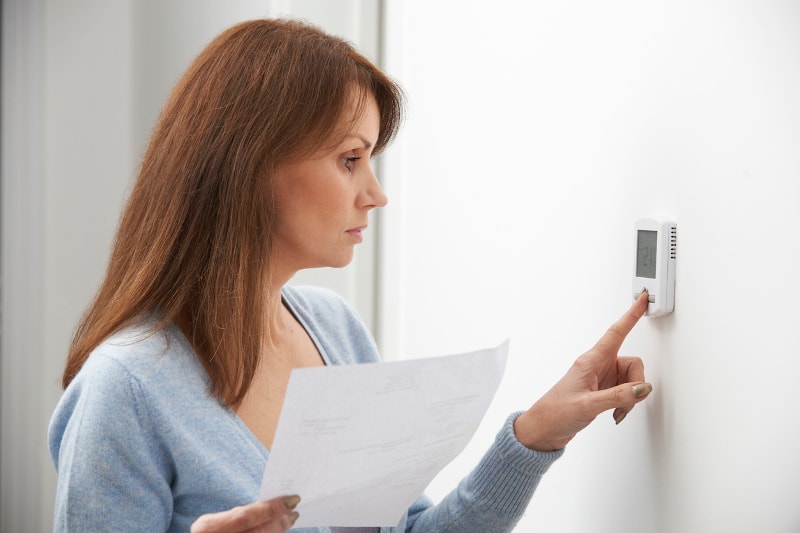
You walk over to adjust the temperature, only to find your thermostat screen blank. Before assuming your AC system has failed, know that the cause could be as simple as dead batteries or a tripped breaker. However, a blank thermostat screen can also point to an HVAC electrical, drainage, or equipment problem that requires professional attention.
If your thermostat screen goes blank in your North Port, FL, home, a few basic checks can help you determine what may be wrong. Below, we’ll cover the most common reasons a thermostat screen is blank, what you can safely troubleshoot yourself, and when it’s time to call an HVAC professional.
Why Is My Thermostat Screen Blank?
A thermostat screen blank usually means the thermostat has lost power, the display has failed, or the HVAC system has triggered a safety shutoff. The exact cause can range from something simple, like dead batteries, to a larger issue involving the circuit breaker, condensate drain, wiring, fuse, or air handler. Understanding how your thermostat is powered can make the problem easier to troubleshoot.
How Your Thermostat Gets Power
Thermostats are typically powered in one of two ways. Some models use replaceable batteries, while others receive low-voltage power directly from the HVAC system through the C-wire and transformer.
If the thermostat relies on batteries, a dead or weak set may cause the display to dim or shut off completely. If it is hardwired, a tripped breaker, blown fuse, faulty transformer, loose wire, or HVAC safety switch can interrupt power and leave the thermostat screen blank.
What a Blank Thermostat Screen Means
When the thermostat screen goes blank, it usually indicates a power interruption or display problem rather than an issue with the temperature setting itself. Common causes include dead batteries, a tripped circuit breaker, a clogged condensate drain that activates the float switch, an open air handler panel, a blown fuse, or a failing thermostat.
In some cases, the screen may go blank temporarily and return later. Intermittent power loss can point to loose wiring, an electrical issue, or a safety control cycling the system off. If the problem keeps coming back, professional diagnosis is recommended.
Can a Blank Thermostat Stop Your AC From Working?
Yes. Your thermostat communicates with the HVAC system and tells it when to start or stop heating and cooling. If the thermostat loses power, it may no longer be able to send those signals, which can prevent the AC from turning on.
If your thermostat screen is blank and your air conditioner is also not running, check the thermostat batteries and HVAC breaker first. If those appear normal, the issue may involve the condensate safety switch, wiring, fuse, transformer, or another HVAC component that should be inspected by a technician.
Dead Batteries Can Cause a Blank Thermostat Screen
Dead batteries are one of the simplest reasons you may find your thermostat screen blank. Many digital thermostats rely entirely on batteries, while others use them as backup power. If the batteries become weak or die, the display may dim, become unresponsive, or shut off completely. Checking the batteries is a good first troubleshooting step before assuming there is a larger HVAC problem.
Signs Your Thermostat Batteries Are Dead
A completely blank display is an obvious sign of dead batteries, but you may notice other warnings first. The screen might fade, flicker, display a low-battery symbol, or respond slowly when you adjust the temperature. Some thermostats may also lose programmed settings or stop communicating properly with the HVAC system.
If your thermostat screen went blank suddenly and the unit uses replaceable batteries, checking them should be one of your first steps.
How to Replace Thermostat Batteries
Start by carefully removing the thermostat cover or faceplate according to the manufacturer’s instructions. Remove the old batteries and install fresh ones of the correct type, making sure the positive and negative ends are positioned properly. Then reinstall the cover and give the thermostat a moment to restart.
If dead batteries caused the blank screen on your thermostat, the display should typically return after fresh batteries are installed. You may also need to reset the temperature, schedule, or other preferences depending on the thermostat model.
What to Do if the Screen Stays Blank After Replacing the Batteries
If you’ve installed fresh batteries and the thermostat screen is blank afterward, another issue may be preventing the thermostat from receiving power. Check whether the HVAC circuit breaker has tripped and make sure the air handler access panel is fully closed.
If these basic checks don’t restore the display, the problem could involve a blown fuse, clogged condensate drain and activated float switch, loose wiring, faulty transformer, or malfunctioning thermostat. Avoid attempting electrical repairs yourself. An HVAC technician can safely diagnose the source of the power loss and recommend the appropriate repair.
A Tripped Circuit Breaker Can Make Your Thermostat Screen Go Blank
If your thermostat receives power from your HVAC system, a tripped circuit breaker can leave the thermostat screen blank and prevent your heating or cooling equipment from operating. A breaker may trip because of a temporary electrical issue, but repeated trips can signal a problem that needs professional attention.
Why an HVAC Breaker May Trip
Circuit breakers are designed to shut off power when they detect an electrical overload or fault. An HVAC breaker may trip due to a power surge, short circuit, loose electrical connection, failing motor, compressor problem, or another issue causing the system to draw too much current.
If your thermostat screen went blank at the same time your AC stopped working, a tripped breaker is one possible cause. However, repeatedly resetting the breaker without determining why it tripped can allow an underlying problem to worsen.
How to Check Your Circuit Breaker Safely
Locate your home’s electrical panel and look for the breaker labeled for the air conditioner, HVAC system, furnace, or air handler. A tripped breaker may sit between the ON and OFF positions. If there are no signs of electrical damage, burning smells, or overheating, you can follow the breaker manufacturer’s instructions for resetting it, typically by switching it fully OFF before returning it to ON.
After resetting the breaker, check whether power returns to the thermostat and HVAC system. If you’re unsure which breaker controls the equipment or notice anything unusual, leave it alone and contact a professional.
What to Do if the Breaker Keeps Tripping
If the breaker trips again after being reset, don’t continue resetting it. Repeated tripping may indicate an electrical short, damaged wiring, failing HVAC component, or another problem that requires professional diagnosis.
Leave the affected system off and schedule HVAC service. A qualified technician can determine why the breaker is tripping, inspect the electrical components, and address the underlying issue before restoring normal operation.
A Tripped Float Switch Can Leave Your Thermostat Screen Blank
A tripped condensate float switch is another common reason a thermostat screen goes blank. This safety device is designed to shut down the HVAC system when water begins backing up in the drain pan or condensate line. When that happens, power to the thermostat may also be interrupted, leaving you with a blank display and an AC system that will not run.
How a Clogged Condensate Drain Can Shut Down Your HVAC System
Your air conditioner removes moisture from the indoor air as it cools your home. That moisture collects and drains away through the condensate line. If algae, dirt, dust, or debris blocks the line, water can begin to back up into the drain pan.
The float switch detects the rising water level and shuts the HVAC system down to help prevent overflow and water damage. In some systems, this safety shutdown can make the thermostat screen blank until the drainage problem is corrected.
Signs Your AC Drain Line May Be Clogged
Common warning signs include water around the indoor unit, a full or overflowing drain pan, musty odors, higher indoor humidity, or an AC system that suddenly stops running. You may also notice the thermostat screen went blank even though the batteries and circuit breaker appear normal.
If you can safely see standing water around the air handler or drain pan, leave the system off and have the drainage issue inspected.
Why You Should Address Drainage Problems Quickly
A clogged condensate drain can do more than interrupt thermostat power. Continued water buildup may damage ceilings, walls, flooring, insulation, or HVAC components. Excess moisture can also contribute to musty odors and other indoor air quality concerns.
If the float switch keeps shutting the system down, professional service can clear the blockage, inspect the drain pan and line, and confirm that condensation is draining properly before the AC is restarted.
A Blown HVAC Fuse May Cause a Blank Screen on Your Thermostat
If your thermostat is hardwired into the HVAC system, a blown low-voltage fuse can interrupt power and leave you with a blank screen on your thermostat. The fuse is designed to protect HVAC controls from excessive electrical current. When it blows, your thermostat may shut off completely, and the heating or cooling system may stop responding.
What Causes an HVAC Fuse to Blow?
An HVAC fuse can blow for several reasons, including a short circuit, damaged thermostat wiring, loose electrical connections, incorrect thermostat installation, or a problem with another low-voltage component. Wiring that has been pinched, worn, or exposed can also create an electrical fault that causes the fuse to fail.
If your thermostat screen went blank after thermostat work, HVAC maintenance, or another electrical issue, a blown fuse may be responsible.
Why Replacing the Fuse May Not Solve the Underlying Problem
A blown fuse is often a symptom rather than the root cause. Simply replacing it without determining why it failed could result in the new fuse blowing again. Using the wrong type or rating can also create additional electrical problems.
If the fuse repeatedly fails, there may be damaged wiring, a faulty HVAC control component, or another electrical issue that needs to be diagnosed. Avoid repeatedly replacing fuses or bypassing electrical safety devices.
When to Call an HVAC Technician
Call an HVAC professional if your thermostat screen is blank after you’ve checked the batteries and breaker, especially if you suspect a blown fuse or electrical problem. You should also schedule service if the thermostat repeatedly loses power, the HVAC system will not start, or a newly replaced fuse blows again.
A qualified technician can safely test the low-voltage circuit, inspect the wiring and controls, locate the cause of the failure, and complete the necessary repair to restore power to your thermostat and HVAC system.
Loose or Damaged Wiring Can Cause a Thermostat Blank Screen
Loose, damaged, or disconnected wiring can interrupt the low-voltage power your thermostat needs to operate. If that happens, you may see a thermostat blank screen, an HVAC system that will not respond, or a display that turns on and off intermittently. Because thermostat wiring is connected to the larger HVAC control system, electrical problems should be diagnosed carefully.
How Thermostat Wiring Problems Affect Power
A hardwired thermostat depends on several low-voltage wires to communicate with the HVAC system and, in many cases, receive continuous power. If one of those wires becomes loose, pinched, corroded, or disconnected, the thermostat may lose power and the screen can go blank.
Wiring problems can also interfere with signals between the thermostat and the air handler or outdoor unit, causing the HVAC system to stop heating or cooling even if the thermostat display briefly returns.
Signs of Loose or Damaged Electrical Connections
In addition to a blank thermostat screen, wiring issues may cause the display to flicker, restart unexpectedly, or work only occasionally. You might also notice that the AC does not turn on, the system short cycles, or the thermostat loses its programmed settings.
Burning smells, visible wire damage, repeated fuse failures, or a breaker that keeps tripping are more serious warning signs. If you notice any of these symptoms, turn the system off and avoid further troubleshooting.
Why Electrical Repairs Should Be Left to a Professional
Thermostat wiring may be low voltage, but it is still connected to electrical components that can be damaged by incorrect testing or repairs. Improper wiring can blow fuses, damage control boards, affect transformers, or create additional HVAC problems.
If your thermostat screen is blank and basic checks such as replacing the batteries or checking the breaker have not solved the issue, contact an HVAC technician. A professional can safely test the wiring, locate the fault, repair damaged connections, and restore proper power and communication to the thermostat.
An Open Furnace or Air Handler Door Can Cut Power to the Thermostat
Sometimes, a thermostat screen blank issue has a surprisingly simple cause: an access panel that isn’t fully closed. Many furnaces and air handlers have a safety switch that cuts power when the equipment door or panel is removed. If the panel was recently opened for a filter change, inspection, or maintenance, it may not have been reinstalled correctly.
How the HVAC Safety Switch Works
The door or access-panel safety switch is designed to interrupt power when the equipment cabinet is open, helping prevent the system from operating while internal components are exposed. When the panel is properly installed, it presses against the switch and allows normal operation.
On some HVAC systems, activating this safety switch can also interrupt the low-voltage circuit supplying the thermostat. As a result, the thermostat screen goes blank even though there may be nothing wrong with the thermostat itself.
Check That the Access Panel Is Properly Closed
If your thermostat screen went blank after changing the air filter or opening the indoor HVAC unit, check whether the access panel is seated correctly. Follow the manufacturer’s instructions and make sure the panel is aligned and securely closed.
Avoid reaching inside the equipment or attempting to hold, tape, or bypass the safety switch. Once the panel is properly secured, check whether the thermostat display and HVAC system return to normal operation.
What to Do if the Thermostat Still Has No Power
If the access panel is properly closed but the thermostat screen is blank, another issue may be interrupting power. Dead batteries, a tripped breaker, blown fuse, clogged condensate drain, faulty transformer, damaged wiring, or a malfunctioning thermostat are all possible causes.
After completing basic, safe checks, contact an HVAC professional if the thermostat remains unresponsive. A technician can inspect the system, locate the source of the power loss, and complete the appropriate repair without bypassing important safety controls.
An Aging or Faulty Thermostat Can Cause the Screen to Go Blank
Sometimes, the problem is the thermostat itself. Internal circuitry, display components, buttons, or sensors can wear out over time, causing the screen to flicker, freeze, or shut off completely. If you’ve already checked the batteries, breaker, access panel, and other common causes, an aging thermostat may be responsible for the blank thermostat screen.
Signs Your Thermostat Is Failing
A failing thermostat may show more than just a blank display. You might notice the screen turning on and off, incorrect temperature readings, delayed system response, lost programming, unresponsive buttons, or an HVAC system that cycles at unusual times.
If your thermostat screen goes blank repeatedly or the display returns only temporarily after resetting it, the thermostat may be nearing the end of its useful life.
How Long Do Thermostats Typically Last?
Many thermostats can last around 10 years or longer, depending on the model, installation quality, electrical conditions, and how heavily the controls are used. Basic digital thermostats may continue working well beyond that point, while older units may become outdated before they completely fail.
Age alone does not automatically mean replacement is necessary, but an older thermostat with recurring display or control problems is worth having inspected.
When Thermostat Replacement Makes More Sense Than Repair
Replacement may be the better option when an older thermostat repeatedly loses power, produces inaccurate readings, has a failing display, or no longer communicates reliably with your HVAC system. Upgrading can also make sense if you want features such as programmable schedules, remote access, or smart-home compatibility.
Before replacing the thermostat, have an HVAC professional confirm that the thermostat screen is blank because of the thermostat itself rather than a wiring, transformer, fuse, condensate, or system power problem. That helps ensure the new thermostat solves the actual issue.
What to Do When Your Thermostat Screen Goes Blank
If your thermostat screen goes blank, start with a few simple checks before assuming the thermostat or AC system has failed. Dead batteries, a tripped breaker, an improperly closed air handler panel, or a condensate drainage problem can all interrupt thermostat operation. Stick to basic troubleshooting and leave electrical diagnosis and repairs to a qualified HVAC technician.
Check and Replace the Batteries
If your thermostat uses replaceable batteries, install a fresh set of the correct type and make sure they are positioned properly. Weak batteries may cause the display to dim, flicker, or shut off entirely.
Give the thermostat a moment to restart after installing the new batteries. If the blank thermostat screen remains, the problem may involve the HVAC system’s power supply rather than the batteries.
Check the HVAC Circuit Breaker
Locate your electrical panel and check the breaker labeled for the HVAC system, air handler, furnace, or air conditioner. If the breaker has tripped and there are no signs of burning, overheating, or electrical damage, follow the manufacturer’s instructions to reset it.
If the breaker trips again, don’t continue resetting it. Repeated tripping can indicate an electrical or equipment problem that requires professional diagnosis.
Make Sure the Air Handler Panel Is Closed
If the air handler access panel was recently removed for maintenance or an air filter change, make sure it has been reinstalled correctly. Many HVAC systems have a safety switch that cuts power when the panel is open.
A panel that isn’t fully seated may keep the switch activated and leave the thermostat screen blank. Never bypass or hold down the safety switch manually.
Look for Signs of a Clogged Condensate Drain
Your AC system produces condensation as it removes moisture from the indoor air. If the drain line becomes clogged, water can back up and activate a float switch that shuts the system down. Depending on the HVAC setup, this may also cut power to the thermostat.
Look for standing water in the drain pan, water near the indoor unit, musty odors, or unusually high indoor humidity. If you suspect a drainage problem, leave the system off and schedule professional service.
Avoid DIY Electrical Repairs
If you’ve completed these basic checks and the thermostat screen is blank, avoid opening electrical components, rewiring the thermostat, replacing HVAC fuses, or bypassing safety switches yourself. Incorrect repairs can damage the thermostat, transformer, control board, or other HVAC components.
An experienced technician can test the electrical system, wiring, safety controls, and thermostat to determine exactly why power was lost and complete the appropriate repair safely.
When a Blank Thermostat Screen Requires Professional HVAC Repair
Some causes of a blank thermostat screen are easy to resolve, such as replacing dead batteries or properly closing an air handler panel. However, if basic troubleshooting does not restore the display, the problem may involve the HVAC system’s electrical components, safety controls, wiring, or equipment. Professional diagnosis can identify the underlying issue and prevent unnecessary repairs or further damage.
The Thermostat Remains Blank After Basic Troubleshooting
If you’ve replaced the batteries, checked the circuit breaker, confirmed the air handler panel is closed, and looked for obvious drainage problems but the thermostat screen is blank, it’s time to call an HVAC technician.
The issue could involve a blown low-voltage fuse, faulty transformer, damaged wiring, tripped float switch, malfunctioning control board, or failed thermostat. A technician can test these components and determine exactly where power is being interrupted.
Your Breaker Trips Repeatedly
A circuit breaker that trips once may be responding to a temporary electrical issue. However, if it trips again after being reset, don’t keep turning it back on. Repeated breaker trips can indicate a short circuit, failing motor or compressor, damaged wiring, or another electrical problem.
Continuing to reset the breaker without correcting the cause may put additional stress on the HVAC system. Leave the equipment off and have it professionally inspected.
Your AC Won’t Turn On
If your thermostat screen went blank and your air conditioner stopped operating at the same time, the two problems may be connected. A loss of low-voltage power, activated safety switch, blown fuse, electrical fault, or equipment issue can prevent the thermostat from communicating with the AC system.
Professional troubleshooting can determine whether the problem originates at the thermostat or elsewhere in the HVAC system and restore normal cooling.
You Notice Electrical or Wiring Problems
Burning odors, discolored wiring, buzzing sounds, visible wire damage, sparks, or repeatedly blown fuses should never be ignored. These signs can indicate an electrical problem that requires prompt professional attention.
Turn the HVAC system off if it is safe to do so, and avoid touching damaged wiring or opening electrical components. A qualified HVAC technician can inspect the controls and connections, locate the fault, and complete the necessary repairs safely.
How to Prevent Your Thermostat Screen From Going Blank Again
You can’t prevent every thermostat or HVAC problem, but a few simple maintenance habits can reduce the chances of unexpected power loss. Staying ahead of battery changes, drainage issues, equipment maintenance, and an aging thermostat can help keep your HVAC controls working reliably when you need them most.
Replace Thermostat Batteries Before They Die
If your thermostat uses batteries, don’t wait until the display disappears to replace them. Check for low-battery warnings and follow the manufacturer’s recommended replacement schedule. Keeping fresh batteries installed can help prevent a sudden thermostat blank screen and reduce the risk of losing programmed settings.
It’s also a good idea to keep the correct replacement batteries on hand. If the display starts dimming, flickering, or responding slowly, changing the batteries early may prevent an unexpected shutdown.
Keep Your AC Drain Line Clear
Florida’s humid climate means your AC system can produce plenty of condensation. Over time, algae, dirt, and debris may accumulate inside the condensate drain line and create a blockage. If water backs up far enough to activate the float switch, the HVAC system may shut down and, depending on its wiring, leave the thermostat screen blank.
Routine drain-line maintenance can help keep condensation flowing properly. If you notice standing water, slow drainage, musty odors, or frequent float-switch shutdowns, have the system inspected rather than repeatedly restarting it.
Schedule Routine HVAC Maintenance
Professional HVAC maintenance provides an opportunity to catch developing problems before they interrupt your comfort. During a service visit, a technician can inspect electrical connections, drainage components, safety controls, wiring, and other parts that may contribute to thermostat power problems.
Routine maintenance also helps support efficient cooling, reliable system operation, and fewer unexpected breakdowns during North Port’s long cooling season.
Replace an Aging Thermostat Before It Fails
If your thermostat is older and frequently freezes, loses programming, displays inaccurate temperatures, or turns off unexpectedly, replacement may be worth considering before it fails completely. Modern programmable and smart thermostats can also provide more convenient scheduling and temperature control when they’re compatible with your HVAC system.
Before replacing the thermostat, have a professional confirm that the device itself is responsible for the problem. If your thermostat screen goes blank because of wiring, a transformer, a fuse, or another HVAC component, installing a new thermostat alone won’t resolve the underlying issue.
Professional Thermostat and AC Repair in North Port, FL
If your thermostat screen went blank and basic troubleshooting did not solve the problem, professional HVAC service can help identify the cause and restore reliable cooling. Executive Cooling provides thermostat and AC repair in North Port, FL, with service focused on accurate diagnosis, safe repairs, and dependable system performance.
Diagnose Why Your Thermostat Screen Went Blank
A blank display can be caused by more than dead batteries. Our technicians can inspect the thermostat, HVAC power supply, breaker, low-voltage fuse, transformer, condensate float switch, wiring, and control components to determine why the thermostat lost power.
By finding the source of the problem first, we can recommend the right repair instead of replacing parts that may still be working properly.
Repair Thermostat and HVAC Electrical Problems
If the issue involves damaged wiring, a blown fuse, faulty transformer, control board problem, or failing thermostat, our team can complete the necessary repairs safely. We can also address HVAC issues that may have triggered the shutdown, such as a clogged condensate drain or electrical fault.
Once repairs are complete, we test the thermostat and HVAC system to confirm they are communicating correctly and operating as intended.
Schedule HVAC Service With Executive Cooling
Don’t let a blank thermostat screen leave your North Port home without dependable cooling. If the display remains blank, the AC will not start, or the problem keeps returning, Executive Cooling is ready to help.
Schedule professional HVAC service with Executive Cooling to have your thermostat and AC system inspected, diagnosed, and repaired so you can get back to comfortable, reliable cooling.
FAQs About Thermostat Screen Going Blank
Can dead batteries cause a thermostat blank screen?
Yes. If your thermostat relies on batteries for power, weak or dead batteries can cause the display to dim, flicker, or shut off completely. Replacing them with fresh batteries of the correct type may restore the display immediately.
Why is my thermostat blank even though the breaker isn’t tripped?
If the breaker is on but the thermostat screen is blank, the problem may involve dead batteries, a blown low-voltage fuse, activated condensate float switch, faulty transformer, damaged wiring, open air handler safety switch, or thermostat failure. An HVAC technician can test these components if basic troubleshooting doesn’t restore power.
Can a clogged AC drain cause the thermostat screen to go blank?
Yes, depending on how your HVAC system is configured. A clogged condensate line can cause water to back up and activate a float switch designed to shut the system down before water overflows. On some systems, this safety shutdown also interrupts power to the thermostat.
Why does my thermostat screen go blank and then come back on?
An intermittent blank thermostat screen may indicate loose wiring, an unstable power supply, a failing thermostat, or a safety switch repeatedly shutting the HVAC system down. Because intermittent electrical problems can be difficult to diagnose, recurring power loss should be inspected by a professional.
Can a blown fuse cause a blank thermostat screen?
Yes. A blown low-voltage HVAC fuse can interrupt power to a hardwired thermostat and cause the display to go blank. Because blown fuses are often caused by wiring faults or other electrical problems, repeatedly replacing the fuse without finding the underlying cause is not recommended.
Should I call an HVAC technician if my thermostat screen is blank?
If replacing the batteries, checking the breaker, and confirming the air handler panel is closed do not restore the display, professional service is recommended. You should also call a technician if your breaker repeatedly trips, the AC won’t turn on, the thermostat keeps losing power, or you notice signs of electrical problems.
Don’t Stay in the Dark. Get Your Thermostat Glowing Again!
A blank thermostat screen does not always mean your HVAC system has suffered a major failure. Dead batteries, a tripped breaker, a clogged condensate drain, loose wiring, or a faulty thermostat could all be responsible. Starting with basic troubleshooting can sometimes solve the problem, but if your thermostat remains blank or your AC stops working, professional diagnosis can help prevent further damage and restore reliable comfort.
At Executive Cooling and Heating, we’re ready to help keep your home comfortable with dependable HVAC solutions, including Air Conditioning Repair Service in Punta Gorda, Air Conditioner Maintenance Plans in Punta Gorda, Air Conditioner Installation Services in Punta Gorda, and Indoor Air Quality Services in Punta Gorda. We also offer convenient financing options for qualifying customers. If your thermostat has gone dark or your AC isn’t responding, call us at (941) 637-9800 or contact us. We’ll find the problem, recommend the right solution, and help get your comfort back online.