
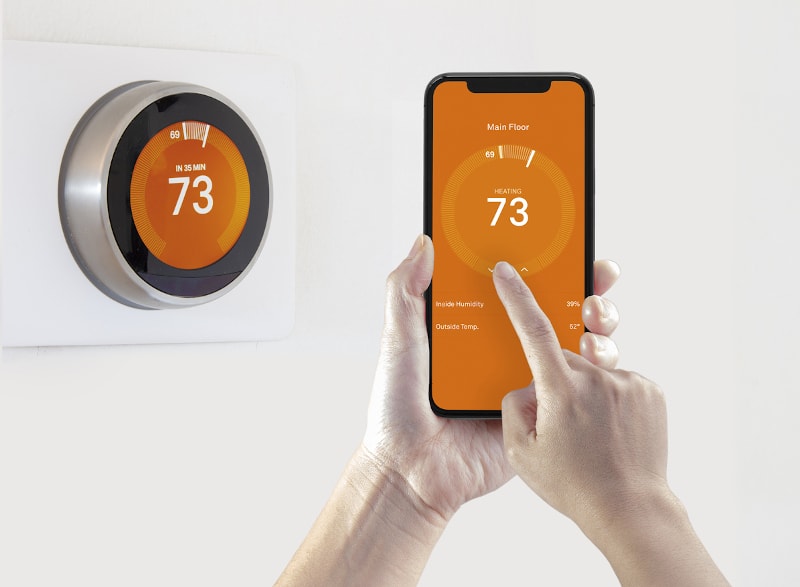
Your air conditioner may be running longer than necessary simply because your thermostat isn’t programmed to match your daily routine. A programmable thermostat gives you more control over your home’s cooling schedule by automatically adjusting temperatures when you’re home, away, or asleep. Instead of constantly changing the settings throughout the day, you can create a schedule that fits your household’s activities and comfort preferences. Knowing how to use a programmable thermostat can also help you avoid unnecessary cooling when no one is home.
For homeowners in Arcadia, FL, using a programmable thermostat correctly can make it easier to manage indoor comfort during Florida’s hot and humid weather. From updating default factory settings and choosing the right fan mode to creating temperature schedules and exploring Wi-Fi controls, a few adjustments can help you get more out of your HVAC system. Whether you’re using a basic programmable AC thermostat or considering an upgrade to a Wi-Fi model, these four practical tips will help you understand its features and make informed adjustments for your home.
1. Customize Your Programmable Thermostat Settings and Daily Schedule
Getting the most out of a programmable thermostat starts with setting it up according to your household’s routine. Many models come with factory-programmed temperatures and schedules, but these default settings may not match when you wake up, leave home, or go to bed. Taking a few minutes to customize the settings can make temperature adjustments more convenient and help prevent unnecessary AC operation. Here are three ways to get started.
Review and Update the Default Factory Settings
Before using your programmable thermostat, review its existing settings and make sure they match your preferences. Factory defaults are designed to provide a starting point, but they may not reflect your daily schedule or preferred indoor temperature. Begin by checking the date and time, since incorrect information can cause the thermostat to follow its programmed schedule at the wrong hours.
Next, confirm that the system mode is set correctly for your home’s HVAC equipment. For Florida’s warmer weather, homeowners will generally use the Cool setting when they need air conditioning. You should also review the programmed temperature settings and adjust them based on your comfort needs and typical time spent at home. Refer to your thermostat’s user manual to find the scheduling menu and learn how to save changes, since controls and programming steps vary by model.
Create a Schedule Around Your Daily Routine
One of the main advantages of using a programmable thermostat is that it can automatically adjust your home’s temperature throughout the day. Most models offer programming periods such as Wake, Leave, Return, and Sleep. Each period lets you choose a temperature that corresponds to what your household is doing at that time.
For example, you can program a comfortable cooling temperature for when everyone wakes up, then raise the setting after family members leave for work or school. You can schedule the AC to return to your preferred temperature before everyone gets home and make another adjustment at bedtime. This approach helps avoid cooling an empty home as much as necessary while keeping comfort in mind.
If your weekday and weekend routines are different, check whether your thermostat supports separate schedules for each. Some models offer seven-day programming, while others use five-two-day or five-one-one-day schedules. Choose the option that best matches your household’s activities. Once programmed, the thermostat will follow the schedule automatically, so you won’t need to make the same temperature adjustments manually every day.
Learn How to Use Temporary and Permanent Temperature Holds
Even with a regular schedule, your plans and comfort preferences may change. That’s where temperature holds can be useful. A temporary hold allows you to adjust the temperature for a short period without permanently changing your programmed schedule. Depending on the thermostat model, the adjustment may remain active until the next scheduled period or until a selected time.
A permanent hold, sometimes called a vacation hold or indefinite hold depending on the model, keeps the thermostat at your chosen temperature until you manually cancel it or resume the programmed schedule. This can be useful when your household routine changes for several days or when you are away for an extended period. However, remember that leaving a permanent hold active may prevent your normal schedule from running.
Check the thermostat display after making an adjustment to see whether a hold is active or the regular schedule has resumed. If you are unsure how to cancel a hold, consult the manufacturer’s instructions. Understanding these features is an important part of learning how to use a programmable thermostat without accidentally overriding the settings you’ve already created.
2. Choose the Right Programmable Thermostat Settings for Florida’s Heat and Humidity
Florida’s hot temperatures and high humidity can make it challenging to keep your home comfortable throughout the day. Your programmable thermostat can help you manage indoor temperatures by adjusting the cooling schedule to match when you’re home, away, or sleeping. The goal is to find settings that balance comfort with reasonable AC operation while accounting for the humidity common in Arcadia and the surrounding areas.
Set a Comfortable Temperature When You Are Home
When you’re home, choose a cooling temperature that keeps your living spaces comfortable without making your AC work harder than necessary. The U.S. Department of Energy commonly recommends setting your thermostat to 78°F during summer when you’re home, but this is a starting point rather than a requirement. Your preferred temperature may vary based on household comfort, insulation, sun exposure, and your HVAC system’s capacity.
You can also use ceiling fans to make rooms feel cooler without lowering the thermostat. Fans create air movement that helps your body feel more comfortable, allowing some homeowners to maintain a slightly higher temperature setting. Remember to turn fans off when leaving a room because they cool people, not the space itself. With a few adjustments, you can find a temperature that works for your household while making better use of your programmable AC thermostat.
Adjust the Temperature When You Are Away
There is no need to maintain the same cooling temperature when everyone is away from home. If your household follows a regular work or school schedule, program your thermostat to raise the cooling setpoint by a few degrees during those hours. This reduces the amount of cooling needed while the home is unoccupied and can help limit unnecessary AC operation.
You can then schedule the thermostat to return to your preferred temperature shortly before everyone gets home. This way, your AC has time to cool the living spaces without requiring you to leave the system running at your usual comfort setting all day. Many programmable thermostats can handle these adjustments automatically once you enter the schedule.
However, avoid turning your AC off completely during extended absences, especially during Florida’s humid months. Indoor humidity can build up when the system is not running, potentially creating conditions that contribute to musty odors and moisture-related problems. Instead, use a reasonable higher temperature setting that allows your home to remain cooled periodically. Your ideal setting will depend on the home’s conditions, humidity levels, and HVAC equipment.
Program Cooler Settings for Sleeping and Plan for Longer Vacations
Your preferred temperature may change when it’s time to sleep. Some homeowners prefer a cooler bedroom at night, while others are comfortable maintaining the same temperature throughout the evening. Use your thermostat’s Sleep setting to program a temperature that supports your sleeping preferences without making the home unnecessarily cold. If your model allows multiple nighttime adjustments, you can also experiment with a gradual temperature change.
For longer trips, check whether your thermostat has a Vacation or Extended Away setting. This feature allows you to maintain a higher cooling temperature while you’re away without leaving your regular daily schedule running. In Arcadia’s humid climate, avoid choosing a setting that allows indoor temperatures and humidity to rise excessively. The appropriate setting depends on factors such as insulation, moisture conditions, pets, plants, and the length of your absence.
Some programmable thermostats also include humidity monitoring, humidity alerts, or dehumidification controls. If yours has these features, review the manufacturer’s instructions to understand how they work with your HVAC system. Managing both temperature and indoor humidity can help maintain a more comfortable home, even when you’re away for several days.
3. Understand the Auto Settings on Your Programmable AC Thermostat
Your programmable AC thermostat may have several settings that affect how your HVAC system operates. Choosing the right options can help maintain consistent indoor temperatures and prevent unnecessary system operation. Before changing anything, understand what each setting does and how it affects your home’s cooling performance.
Know the Difference Between Fan Auto and Fan On
The Fan setting controls how your HVAC system’s blower circulates air throughout your home. Most thermostats offer two common options: Auto and On. Although they may seem similar, they operate differently.
When you select Fan Auto, the blower runs when your system calls for heating or cooling. Once the cooling cycle ends, the fan typically stops as well. This is often a practical choice for everyday residential cooling because it allows the system to operate as needed without running the blower continuously.
With Fan On, the blower generally runs continuously, even when the AC is not actively cooling your home. This can help circulate air between cooling cycles, but it may also affect indoor humidity in some HVAC systems. For example, certain systems may allow moisture collected on the evaporator coil to re-enter the air when the blower continues running after a cooling cycle. The actual effect depends on your equipment and system design.
For many Arcadia homeowners, Fan Auto is a reasonable starting point during Florida’s humid weather. However, follow your HVAC manufacturer’s recommendations and ask a professional if you’re unsure which setting is appropriate for your system.
Choose the Appropriate Heating and Cooling System Mode
Your thermostat’s system mode determines whether your HVAC equipment provides cooling, heating, or switches between the two. Common options include Cool, Heat, Auto, and Off, although available settings vary by model and equipment type.
- Cool: Activates the air conditioning when indoor temperatures rise above your selected setting.
- Heat: Activates the heating system when indoor temperatures fall below your selected setting.
- Auto: Allows compatible systems to switch between heating and cooling based on programmed temperature ranges.
- Off: Prevents the thermostat from calling for heating or cooling, although other functions may still operate depending on the system.
For most of the warmer months in Arcadia, the Cool setting is generally the appropriate choice when you need air conditioning. The Auto mode can be useful during periods when both heating and cooling may be needed, but it is not necessary for every household or HVAC system. Check your thermostat’s user manual to understand how its modes work and make sure the selected option is compatible with your equipment.
Avoid Frequent and Extreme Temperature Adjustments
If your home feels warm, setting the thermostat several degrees below your desired temperature will not make the AC cool the space faster. Your air conditioner cools at the rate its capacity and operating conditions allow. Choosing an unusually low setting simply tells the system to continue cooling until it reaches that temperature, which may result in a longer cooling cycle.
Frequent temperature changes can also make it harder to maintain consistent indoor comfort. For example, repeatedly lowering and raising the setting throughout the day may cause your system to run longer than necessary or create noticeable temperature fluctuations. This is especially important during Florida’s hot weather, when your AC already has to manage substantial cooling demands.
Instead, use your programmable thermostat to establish a consistent daily schedule based on when you’re home, away, and asleep. If a setting does not feel comfortable, make gradual adjustments and give your system time to respond. A steady schedule makes using a programmable thermostat easier and helps you manage your home’s cooling needs more effectively.
4. Consider a Wi-Fi Programmable Thermostat and Professional Installation
If you want more control over your home’s cooling schedule, consider upgrading to a Wi-Fi programmable thermostat. Unlike basic models that require manual adjustments at the thermostat, Wi-Fi models let you manage temperature settings remotely through a smartphone or other connected device. Before choosing an upgrade, however, make sure the thermostat is compatible with your existing HVAC system and installed correctly.
Manage Your Thermostat Settings Remotely With Wi-Fi Controls
A Wi-Fi thermostat allows you to monitor and adjust your home’s temperature even when you’re away. Once connected to your home’s wireless network and configured through the manufacturer’s app, you can change cooling settings, update schedules, and check system information from your smartphone. This can be especially convenient when your daily plans change or you need to adjust the temperature before returning home.
Depending on the model, useful features may include:
- Remote temperature control: Adjust your thermostat without being physically at home.
- Flexible scheduling: Create or modify cooling schedules through the connected app.
- System alerts: Receive notifications about temperature changes, connectivity issues, or other system conditions supported by the model.
- Vacation settings: Set an extended-away temperature schedule while you’re traveling.
- Usage information: Review available system runtime or energy-use reports to better understand your cooling habits.
These features can make using a programmable thermostat more convenient, especially if your household has changing schedules. For example, if you arrive home earlier than expected, you can adjust the temperature remotely rather than waiting for the next programmed cooling period. Just remember that available controls and features vary by manufacturer and model.
Check HVAC Compatibility Before Upgrading Your Thermostat
Not every programmable or Wi-Fi thermostat works with every HVAC system. Before purchasing a replacement, check whether the model supports your equipment’s specific requirements. Installing an incompatible thermostat may prevent certain heating or cooling functions from working correctly.
Start by identifying your HVAC system type, such as a conventional central air conditioner and furnace or a heat pump system. Check the thermostat’s wiring requirements, including whether your current setup has a common wire (C-wire) or needs an alternative power solution. Some smart thermostats also require additional wiring or accessories to support all their features.
You should also consider which functions you need, such as separate heating and cooling schedules, humidity monitoring, or multi-stage system support. Review the thermostat manufacturer’s compatibility information and compare it with your HVAC equipment specifications. If you’re unsure, ask an HVAC professional to check your existing wiring and system requirements before buying a new programmable AC thermostat.
Schedule Professional Programmable Thermostat Installation
Once you’ve selected a compatible thermostat, professional installation can help ensure it works properly with your HVAC system. Although some models are designed for DIY installation, wiring and configuration requirements can vary. Incorrect connections or settings may interfere with heating and cooling operation or prevent certain thermostat features from working as intended.
An HVAC technician can review your existing system, verify thermostat compatibility, and connect the appropriate wiring. They can also configure the heating and cooling modes, program the temperature settings, and test the thermostat to confirm that it communicates properly with your equipment. For Wi-Fi models, installation may also include helping you connect the thermostat to your wireless network and set up its app, depending on the service provided.
Proper installation helps your thermostat control the HVAC system as intended, making it easier to follow your preferred temperature schedule. If you’re upgrading an older unit or experiencing problems with your current controls, professional assistance can help you choose a suitable replacement and maintain consistent indoor comfort.
FAQs About Using a Programmable Thermostat
What Is the Best Temperature to Set a Programmable Thermostat in Florida During Summer?
A common starting point is 78°F when you’re home during summer, as this can help balance indoor comfort with reasonable AC operation. You can raise the temperature a few degrees when leaving for work or school and adjust it at night based on your sleeping preferences. However, the ideal setting depends on your home’s insulation, sun exposure, indoor humidity, HVAC system, and household comfort needs. Try different settings to find a temperature that works well for your home.
How Much Can You Adjust a Thermostat When Leaving Home?
You can generally raise your cooling setpoint by a few degrees when leaving for work, school, or other daily activities. This reduces the amount of cooling needed while the house is empty and may help limit unnecessary AC operation. You can also program the thermostat to return to your preferred temperature shortly before everyone gets home. In Florida, avoid turning the AC off completely for extended periods because indoor temperatures and humidity can rise, potentially contributing to moisture-related concerns.
Should My Thermostat Be Set to Fan Auto or Fan On?
Fan Auto is often a practical choice for residential cooling because the blower runs when the HVAC system calls for heating or cooling and typically stops when the cycle ends. Fan On, on the other hand, keeps the blower running continuously, even when the AC is not actively cooling. While continuous circulation may be useful in certain situations, it can affect indoor humidity in some HVAC systems depending on their design and operation. Check your equipment recommendations or ask an HVAC technician which setting is appropriate for your home.
Does Setting the Thermostat Lower Make the AC Cool Faster?
No. Setting your thermostat several degrees below your desired temperature does not make your air conditioner cool your home faster. Your AC cools at the rate its capacity and operating conditions allow, regardless of how low you set the temperature. Choosing an unusually low setting simply tells the system to continue running until it reaches that target, which may lead to longer cooling cycles. Instead, select a comfortable temperature and allow your system to reach it at its normal operating rate.
Can I Control a Wi-Fi Programmable Thermostat From My Phone?
Yes. Compatible Wi-Fi programmable thermostats let you monitor and adjust your home’s temperature through a smartphone app, even when you’re away. Depending on the model, you can change cooling schedules, adjust temperature settings, receive system alerts, and activate vacation or extended-away settings. Remote access is especially useful when your plans change or you want to adjust the temperature before returning home. Just make sure the thermostat is connected to your home’s Wi-Fi network and properly configured with the manufacturer’s app.
Do I Need a Professional to Install a Programmable Thermostat?
Not necessarily. Some programmable thermostats are designed for DIY installation, but wiring and compatibility requirements vary depending on your HVAC system. Before purchasing a replacement, check whether the thermostat supports your equipment type, existing wiring, and required features. Professional installation can help ensure the thermostat is connected and configured correctly, especially when upgrading to a Wi-Fi model or replacing controls on a heat pump system. A technician can also test the thermostat to confirm that it communicates properly with your heating and cooling equipment.
Make Every Degree Count. Schedule Your HVAC Service with Us Today!
Using a programmable thermostat correctly can make managing your home’s indoor temperature easier and more convenient. By customizing your daily schedule, choosing appropriate settings for Florida’s heat and humidity, and understanding features such as Fan Auto and Wi-Fi controls, you can make better use of your HVAC system. Whether you’re updating an existing thermostat or considering a new model, the right settings can help support consistent comfort and avoid unnecessary cooling.
At Executive Cooling and Heating as a trusted HVAC contractor in Punta Gorda, we help homeowners maintain comfortable indoor environments with dependable HVAC solutions. We offer AC Repair Services in Punta Gorda, AC Installation Services in Punta Gorda, AC Maintenance Plans in Punta Gorda, Duct Work in Punta Gorda, Heating in Punta Gorda, and Indoor Air Quality Services in Punta Gorda. We also provide financing options to help make qualifying HVAC projects more manageable. If you need help with your thermostat or heating and cooling system, call us at (941) 637-9800 or contact us so we can assist you. We’ll help you find the right solution to keep your home comfortable throughout the year.